Project Settings
Project Settings control how measurements, calculations, and pricing work across your entire project. These settings affect all sheets and all views — from length inputs in the Design View to quantities in the BOM and cut lengths in the Cut List.
Accessing Project Settings
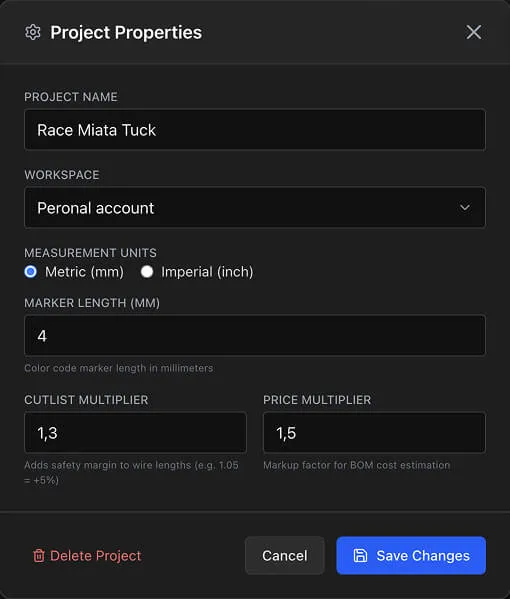
Right-click on the canvas and select Project Properties, or use the project menu. Settings apply to the entire project and all its sheets.
Measurement Units
Choose between two unit systems:
- Metric — Millimeters (mm) and centimeters (cm) for length inputs and displays
- Imperial — Inches with fractional display (e.g., "3 1/4", "7/8", "12 3/8")
The unit setting affects all length-related inputs and displays throughout the application, including:
- Cable length inputs in the Design View
- Wire quantities in the BOM
- Cut lengths in the Cut List
- Marker length display
- Parts library pricing units
Info
Lengths are stored internally as both centimeters and inches (dual storage). Switching units changes only the display format — no precision is lost. You can switch back and forth at any time.
Cutlist Multiplier
The Cutlist Multiplier adds a safety margin to all wire cut lengths.
- Default— 1.05 (adds 5% extra length)
- Formula
—
Cut Length = Base Length × Cutlist Multiplier - Purpose — Accounts for termination length, routing slack, and stripping waste
Set this value based on your manufacturing process. A value of 1.05 adds 5% extra material to every wire. Set it to 1.0 for exact lengths, or increase it for longer harnesses where routing slack is more significant.
The multiplier applies to all wire entries in the Cut List view and affects wire quantities in the BOM.
Recommended Multiplier Values
| Use Case | Multiplier | Extra Material |
|---|---|---|
| Exact engineering lengths | 1.00 | 0% |
| Production with tight tolerances | 1.03 | 3% |
| Standard production | 1.05 | 5% |
| Prototyping and development | 1.10 | 10% |
| Long cable runs with routing slack | 1.15 | 15% |
Tip
For prototyping, use a higher multiplier (e.g., 1.10 for 10% extra). For production runs where material cost matters, reduce it to 1.03-1.05.
Price Multiplier
The Price Multiplier adds a markup factor to all items in the BOM.
- Default — 1.05 (adds 5% markup)
- Formula
—
Total = Sum × Price Multiplier - Purpose — Material markup, overhead costs, or profit margin
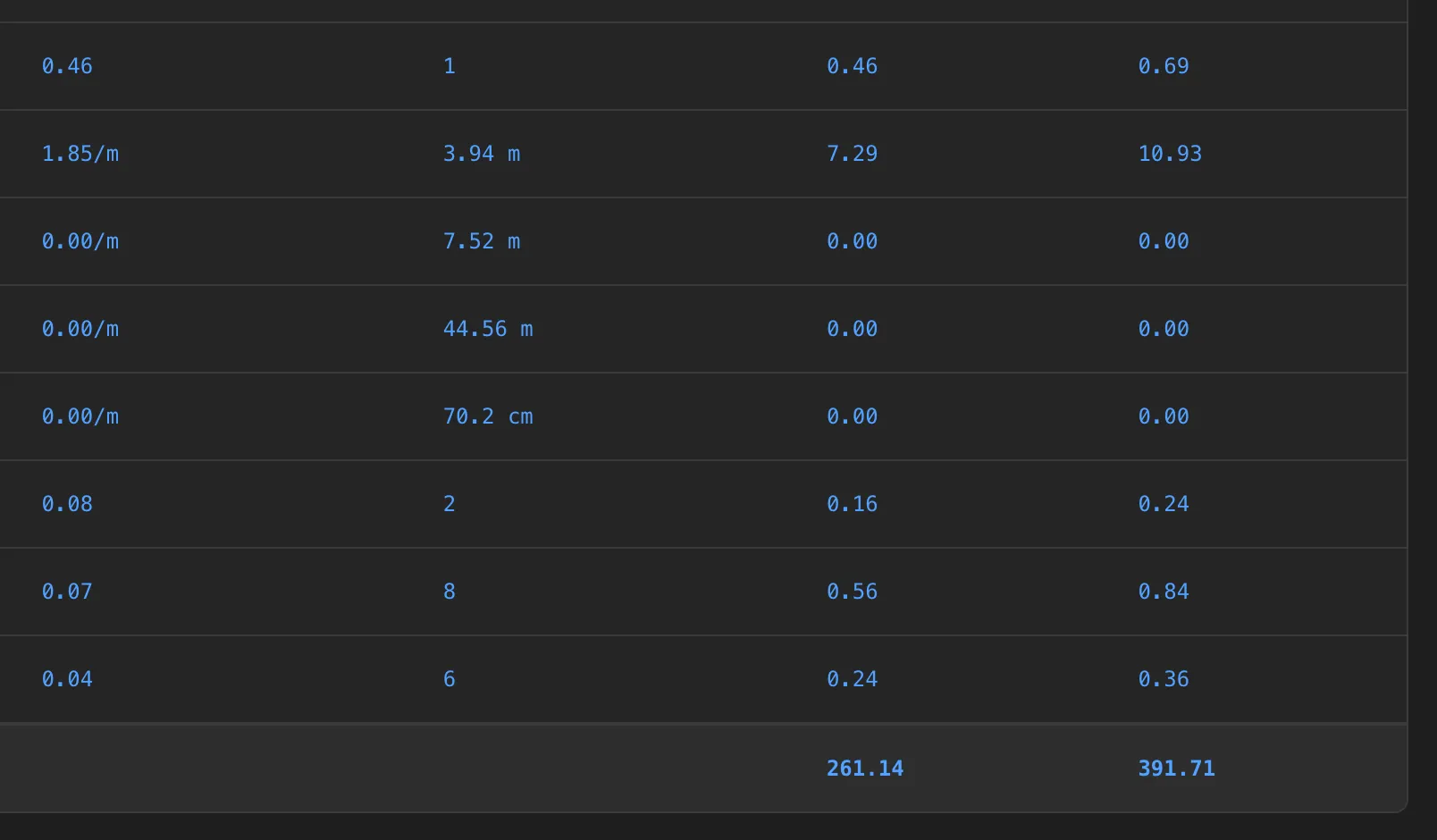
The multiplier is applied in the Total column of the
BOM. The Sum column shows the raw
Unit Price × Quantity
calculation without the multiplier, so you can compare base cost vs.
marked-up cost.
Common uses for the price multiplier include adding a margin for material waste, labor overhead, or resale markup. Set it to 1.0 if you want the Total column to match the Sum column exactly.
Marker Length
The Marker Length setting controls the length of color code heat shrink markers.
- Metric default — 4 mm
- Imperial default — 0.75 inches
This value affects how heat shrink marker quantities are calculated in the BOM. Each color code marker on a wire connection uses this length value.
See Wire Colors and Marking for details on the color coding system.
Project Deletion
The Project Properties dialog includes a Delete Project button at the bottom.
Click Delete Project
Confirm in the alert dialog
Warning
Deleting a project permanently removes all sheets, designs, wiring connections, components, and pin configurations. This action cannot be undone.
Workspace Assignment
You can change which workspace owns the project:
- Personal — Owned by your user account, accessible only to you
- Organization — Owned by your organization, accessible to all members (requires Team plan)
See Sheets & Workspaces for details on workspace management.
Settings Impact Summary
| Setting | Affects | Default | Where It Appears |
|---|---|---|---|
| Units | All length inputs and displays | Metric | Design View, BOM, Cut List, Pin Config |
| Cutlist Multiplier | Wire cut lengths | 1.05 | Cut List, BOM wire quantities |
| Price Multiplier | BOM Total column | 1.05 | BOM |
| Marker Length | Heat shrink quantities in BOM | 4 mm / 0.75 in | BOM |
| Workspace | Project ownership and access | Personal | Projects page, header |